 Tables & Floors
Restaurant booking software
Your restaurant bookings and your floor plan, together.
Guests book online, your team adds the rest, and Tables & Floors assigns the tables. During service, seat parties and follow changes on any device. One flat price per venue, no per-cover fees, no minimum term.

The problem
A busy service should not depend on one diary.
Whether bookings live in a diary, a spreadsheet or booking software that's slow to keep up, one missed change can cost you a table. Two parties turn up for the same table, or a table sits empty because nobody saw the cancellation. Our guide to stopping double bookings explains how to prevent it, whatever you use.
-
Double bookings
Two people take two phone calls for the same table. Nobody notices until both parties are standing at the door.
-
The phone during service
Every booking call pulls someone off the floor. Guests who cannot get through book somewhere else.
-
Who is on table 9 next?
A guest asks whether they can stay longer. You need to check the next booking, but the diary is at the other end of the restaurant, or the booking screen is still loading.
How it works
Draw your floor plan. Take bookings. Run your service.
Three steps: set up your rooms and tables, add your bookings, then run your service from one screen on any device.
-
Draw your floor plan
Add your rooms, tables and fixtures. When the room changes, update the plan; existing bookings keep their tables.
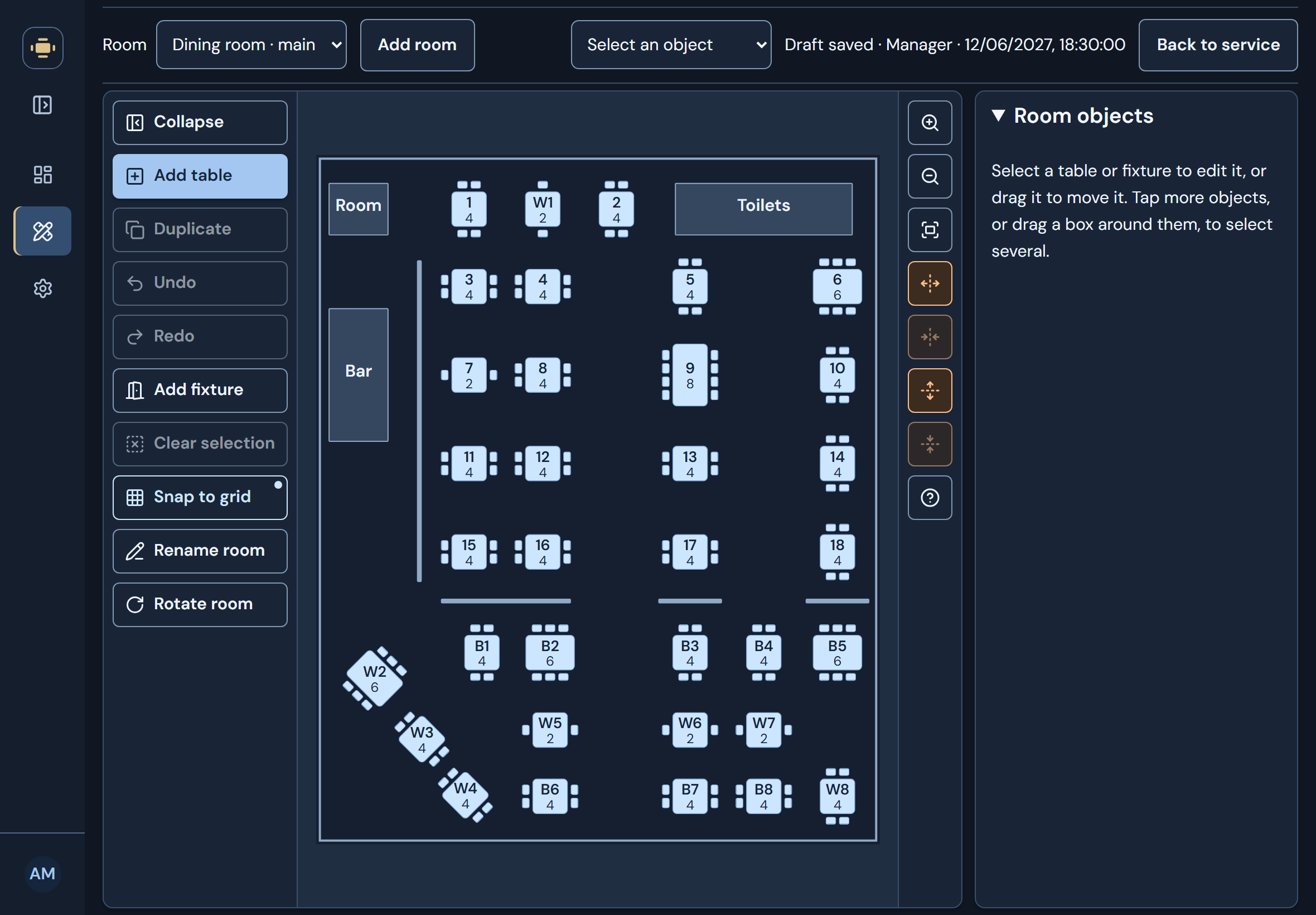
Draw your rooms and arrange the tables. -
Bookings from guests and staff
Staff add bookings and walk-ins straight into Tables & Floors. If you have a website, add the booking form with two lines of code (we'll show you how), and guests can choose an available time and get a confirmation email with a link to change or cancel.
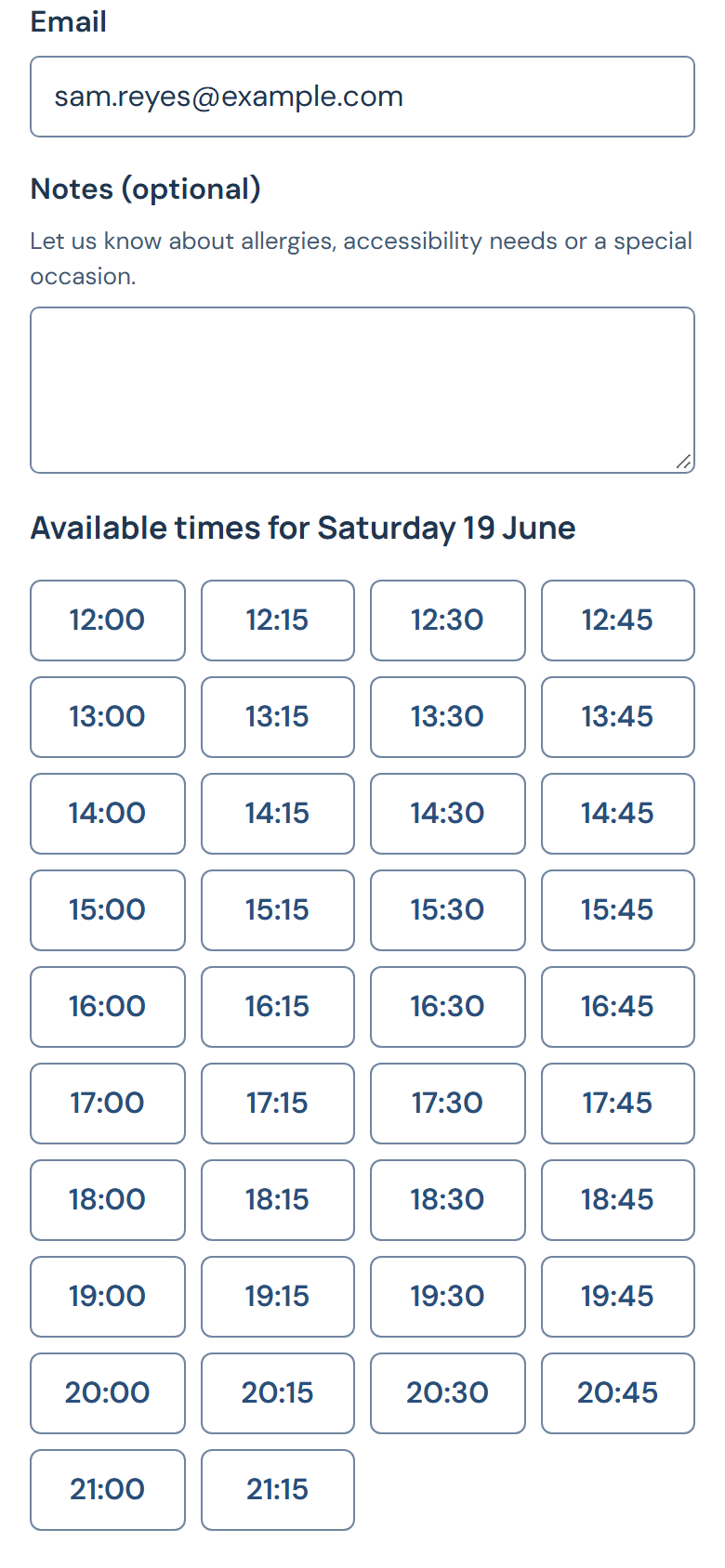
Your guests book on your site. -
Run your service from any device
Seat a party on one tablet and the other devices update too. Follow late arrivals, parties staying past their time and new online bookings on the floor plan and reservation list. Open it in the browser on your tablet, phone or laptop, or install it like an app.
Adding a reservation during service (10 seconds, no sound).

What you get
Built for the way restaurants work.
-
Tables assigned for you
Enter a party size and time, and a suitable table is chosen for you. If needed, available tables next to each other are joined. You can always choose tables by hand instead.
See it live -
Take bookings on your own website
Add the booking form to your website. Guests choose from the times you can seat them, while larger parties are asked to call.
See it live -
Everything that needs you, one tap away
New online bookings, guest cancellations, double-booked tables (only staff can accept a conflict) and parties staying past their time all gather under one filter, so nothing waits unnoticed.
See it live -
Move a party with one drag
Drag a reservation onto another table. As you hold it there, the plan shows whether the party fits, whether the table is already booked at that time, or why it cannot move there.
See it live -
Let guests change their own booking
Guests receive their booking details and a private link by email. Before their booked time, they can use it to change or cancel an upcoming booking without calling you.
See it live -
See which tables free up next
Seated tables count down their last fifteen minutes, then turn orange once a party runs over, so you know which table frees up next.
See it live -
See who is running late
If a party has not arrived, their table counts the minutes past their booked time. At five minutes late, the table and their row in the reservation list turn orange.
See it live -
Keep service moving when plans change
Seat an early party at another table while theirs clears. If that table is booked later, the conflict stays flagged until you move the next party across.
See it live -
Set up your floor plan
Add your rooms and arrange tables, doors, windows and more to match your restaurant. Move and copy tables by touch, and save a draft before publishing changes for service. You'll see any affected bookings first.
See it live
Who is behind it
Built for the pressure of a busy service.
I built Tables & Floors because the booking systems I looked at either charged the restaurant for every guest it had already won, or tied it into a year-long contract. This one is priced with independent venues in mind and designed for the people running them. They need their booking system to reduce the stress of a busy service, not add to it.
Arif Ahmed, founder
- Hosted on Microsoft Azure in the UK The application runs in Azure's UK West region.
- Encrypted connections Every page, device and booking form uses HTTPS.
- Email support support@tablesandfloors.com, answered by the person who built it.
Pricing
One price. Everything included.
No per-cover fees, no set-up fee, no booking tiers and no minimum term. Add venues as you open them.
See what is included
Per venue
£210
per month, before taxes
UK businesses: £252 including 20% VAT.
Outside the UK: £210 with no UK VAT. Local taxes may apply.
Your first month is free- Unlimited bookings and staff users
- Online booking form for your website
- Confirmation emails with a manage link
- Cancel any month; no minimum term
You add your card on Stripe's secure page when you sign up, and nothing is charged for your first month. After it, your rate is protected from our price rises for new customers; it changes only with inflation or our suppliers' costs.
Ready for Friday?
Set up your floor plan and start adding bookings the same day.